
Run Check
The Run Check page allows you to manually execute a full Trustfull check directly from the dashboard across all available products. It performs a real lookup and returns complete results — including score, enrichment data, trust and risk signals — exactly like an API call.
Run Check is ideal for testing configurations, investigating specific cases, or validating integration behavior before deploying to production.
Every Run Check is billed according to the selected App Key, just like a standard API request.
Before running a check, ensure the correct App Key is selected from the top navigation bar. This determines billing, tracking, and environment.
How to Run a Check
Running a check follows three simple steps.
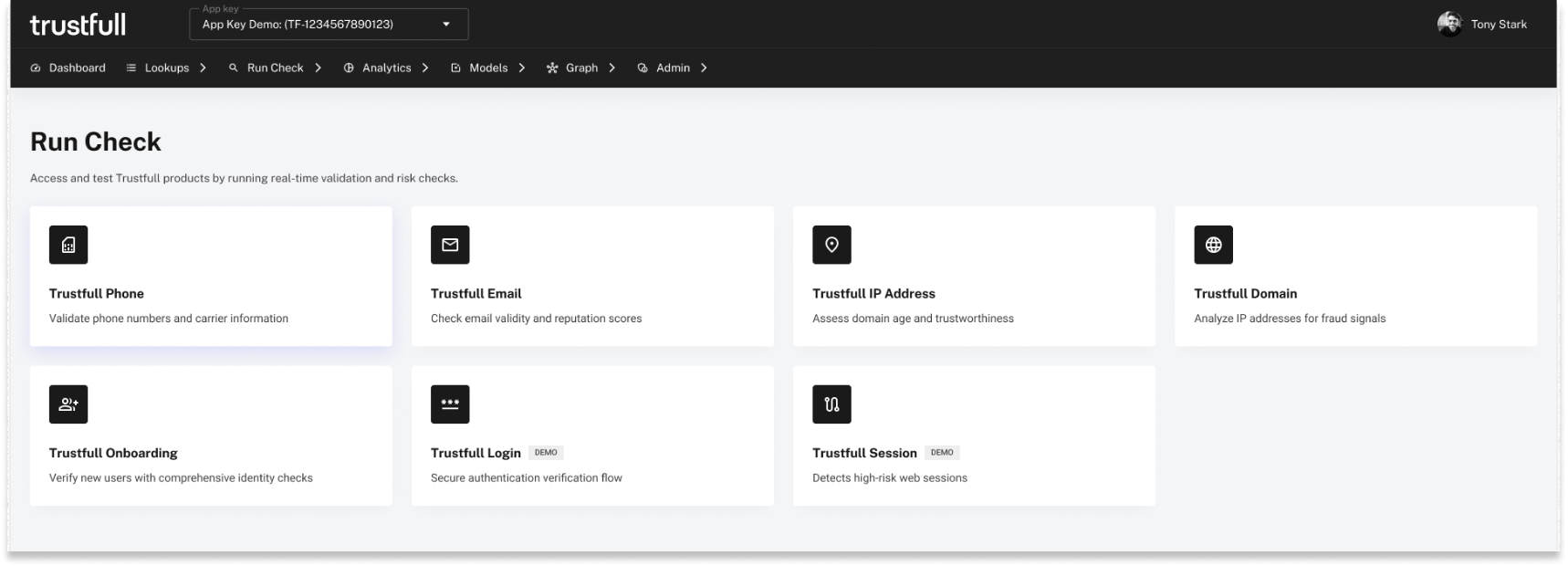
1. Select the Product
Choose the product you want to test from the Run Check dashboard (Phone, Email, IP, Domain, Onboarding, Login, Session). Each product opens its dedicated Run Check interface.
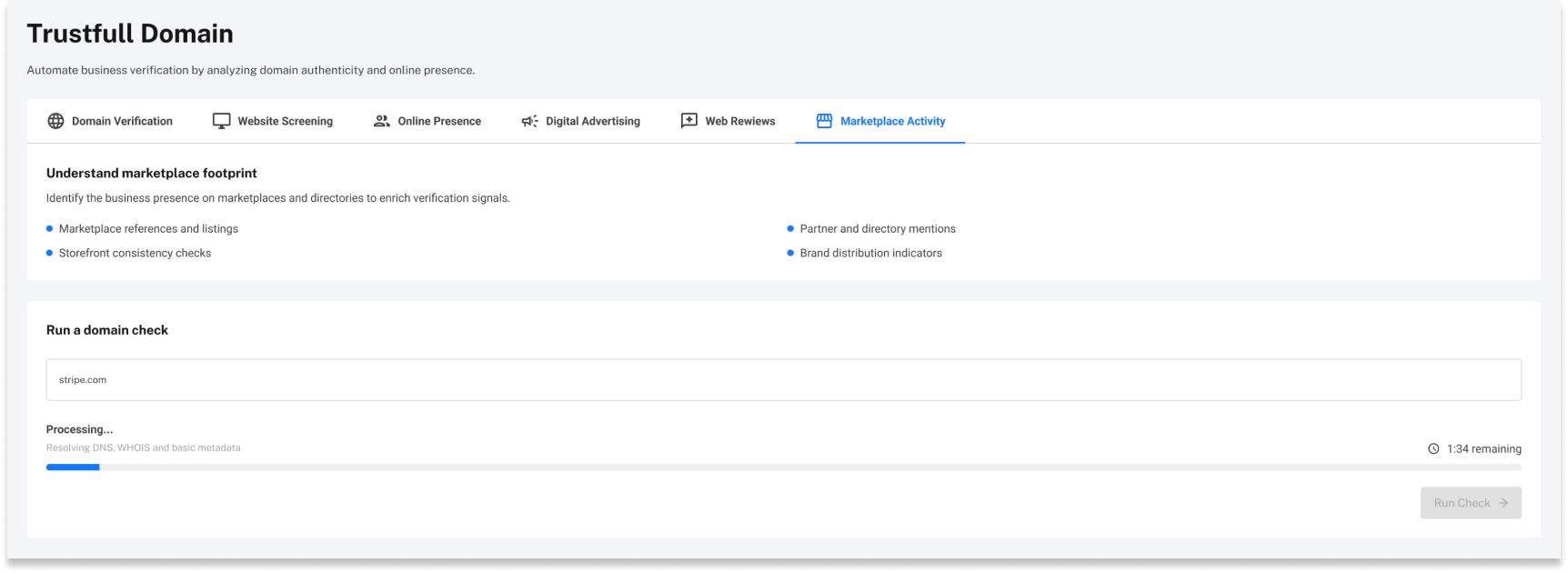
2. Enter the Required Inputs & Run Check
The required fields depend on the selected product and mirror the parameters required in the corresponding API call.
Examples:
- Phone → phone number
- Email → email address
- IP → IP address
- Domain → domain name
- Onboarding → first name, last name, email, phone (+ optional IP)
Once the required inputs are entered, click Run Check to trigger the lookup.
3. View the Results
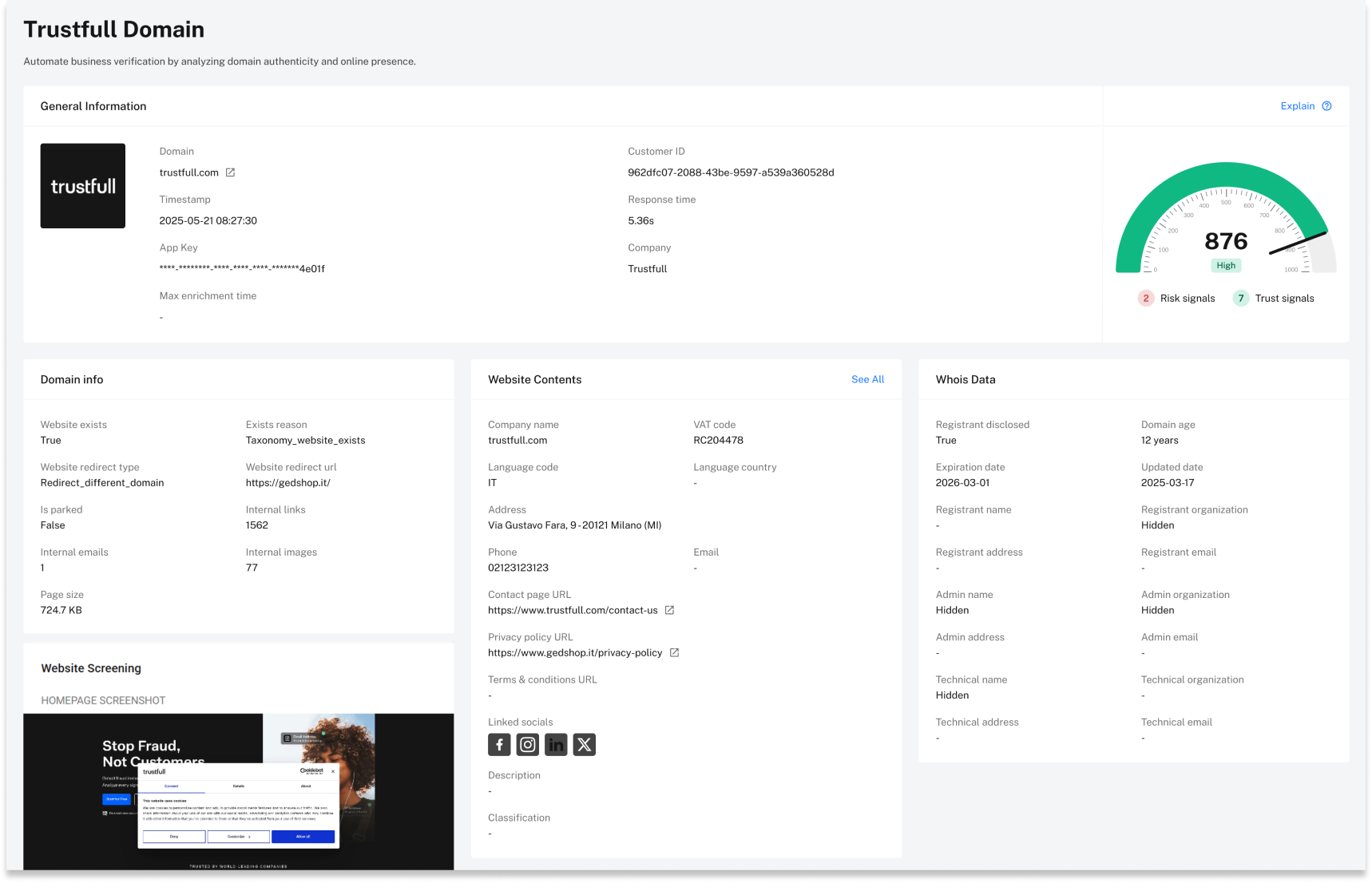
Results are displayed immediately on the same page and include:
- Score and cluster
- Trust & risk signals
- Enrichment data specific to the product
The lookup is also stored and can later be accessed from the corresponding Lookups section in the navigation menu.
Product-Specific Notes
Login & Session
Due to the nature of these products, Login and Session Run Checks act as simulators.
They demonstrate how authentication and session traffic would be evaluated, showcasing device, browser, spoofing, and behavioral signals. These pages simulate login/session evaluation flows rather than executing traditional identifier-based lookups.
Updated 8 months ago