
September 2026 Update
🍂 September 2026: You can now choose the score model on every API call, upload and run check, connect Trustfull to Claude with the new MCP connector, and exclude spam records from your insights.
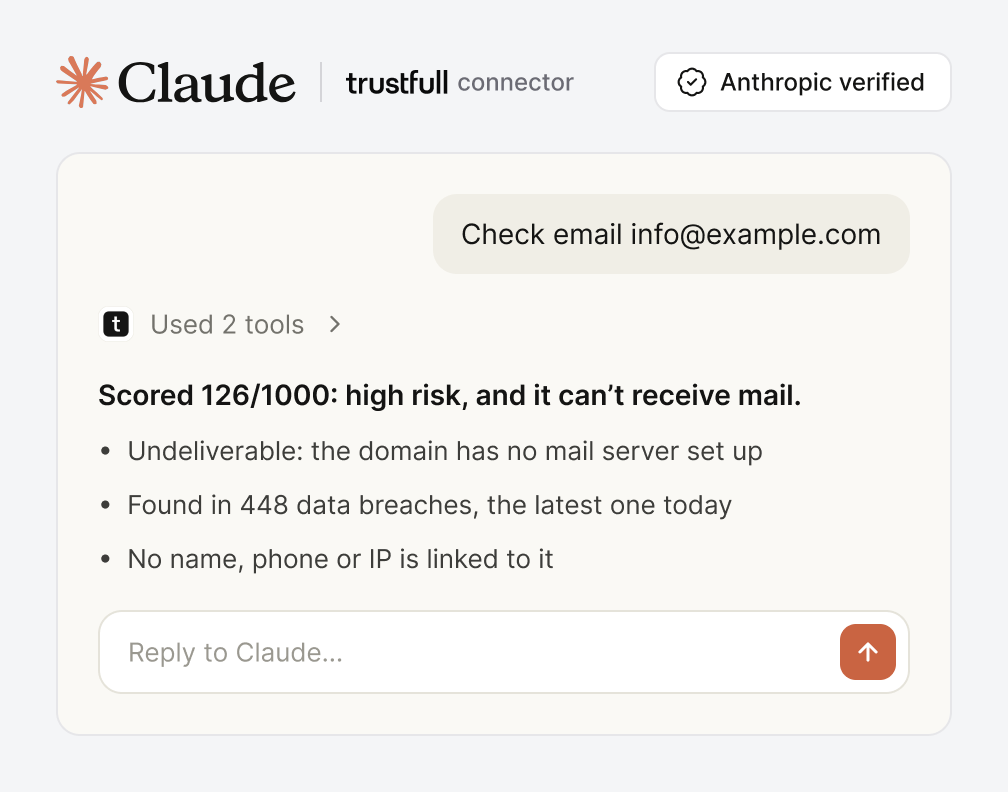
MCP Connector: Use Trustfull from Claude
Connect your AI agent to Trustfull and run checks by asking for them in plain language. The server is hosted and managed by Trustfull, so there is nothing to install.
🔍 Key Features
- 🔌 Five tools out of the box:
score_phone,score_emailandscore_ipto run checks, plusget_product_fields_catalogandget_reason_codes_catalogfor reference data. - 💻 Works where you work: add the Trustfull connector from the Claude connector directory to use it in Claude.ai and Claude Desktop, with setup instructions for Claude Code and Codex.
- 🔑 Sign in with your dashboard account: authorise with your Trustfull credentials and pick the API Key to use. The key stays with Trustfull, and each scoring call consumes one API credit.
Learn more on the Trustfull MCP guide.
Model Selection in API, Upload and Run Check
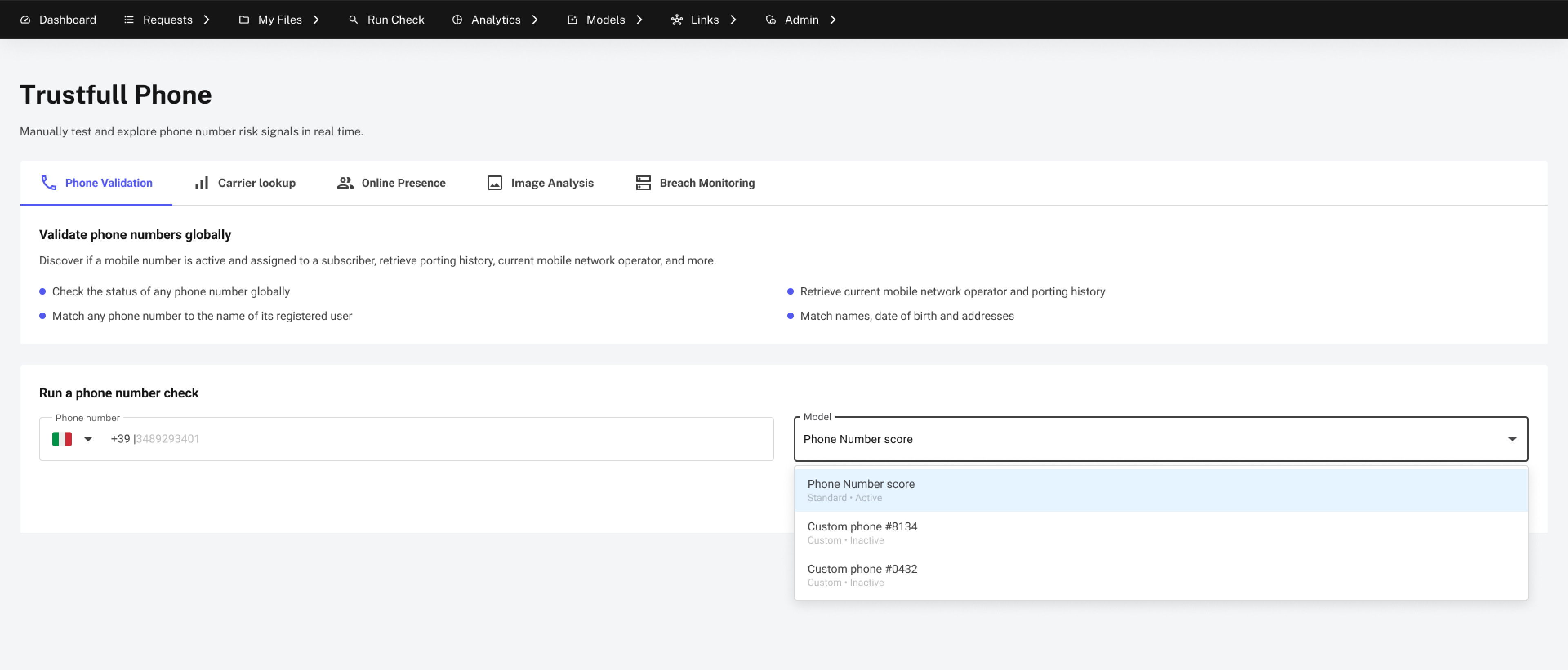
You can now decide which model computes the score on every single request.
🔍 Key Features
- 🎯 Pick a model on each call: pass an optional
model_idand the score is computed with that model. - 📍 Three places to pass it: in an API call, in an upload through an optional
model_idcolumn, and in Run Check. Your current files and calls keep working with no change. - 🧩 Supported products: Onboarding, Phone, Email, IP, Domain and Document. Model ids live in the Models Library.
📊 Example Request
{
  "claims": [
    "email"
  ],
  "email": "[email protected]",
  "model_id": "your-model-id"
}model_id(string): The model used to compute the score. Optional in the request and always returned in the response.
Insights Without Spam
Some records can never belong to a genuine customer: a disposable phone number or an invalid email format is enough to rule it out. Insights can now set those records aside, so you see how your model really performs on real customers.

🔍 Key Features
- 🧹 One switch to remove spam: every insight opens on the full version, and a switch recalculates it without the spam records, charts and counters included.
- 🎯 Performance on real traffic: with the junk out of the way, metrics like false positive rate reflect the customers you actually care about rather than signups that were never real.
- 🔍 See what was excluded: a table lists the records that were set aside with the reason each one was flagged, for example a disposable email or an invalid phone format, and links back to the request. The flagging rules live on the Training Sets page.
Phone to Name Detail Page
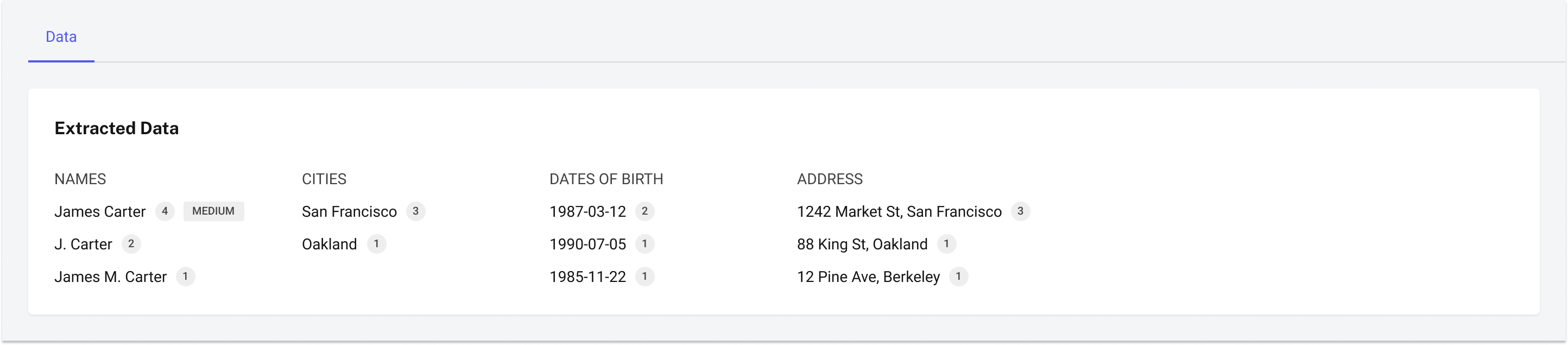
Phone to Name requests now have their own list and detail page, like every other product.
🔍 Key Features
- 🔎 A detail page per request: open any Phone to Name request and see the name found, with its confidence right next to it.
- 📇 Full request summary: request id, valid format, country, company and response time in milliseconds.
📚 Resources
- Uploads: choosing the model - How to pass
model_idas a column in an upload. - Models Library - Where to find the id of a model.
- Trustfull connector for Claude - Add Trustfull from the Claude connector directory.
- Trustfull MCP: Claude connector - How to connect Trustfull to Claude.
- Age Estimation - API Reference.
- Other Products: Age Estimation - Age Estimation among the other Data APIs.
- Insights: remove spam - How to recalculate an insight without spam records.
- Training Sets: spam detection - Which signals flag a record as spam.
- Support Center - Assistance and answers from the Trustfull support team.