
March 2026 Update
🌸 March 2026 Update: Create custom models from training sets with auto-generated rules, detect OpenAI connected accounts in the Email API, get AI-generated score summaries in Explain Score, and tune custom thresholds in refreshed Model Insights charts.
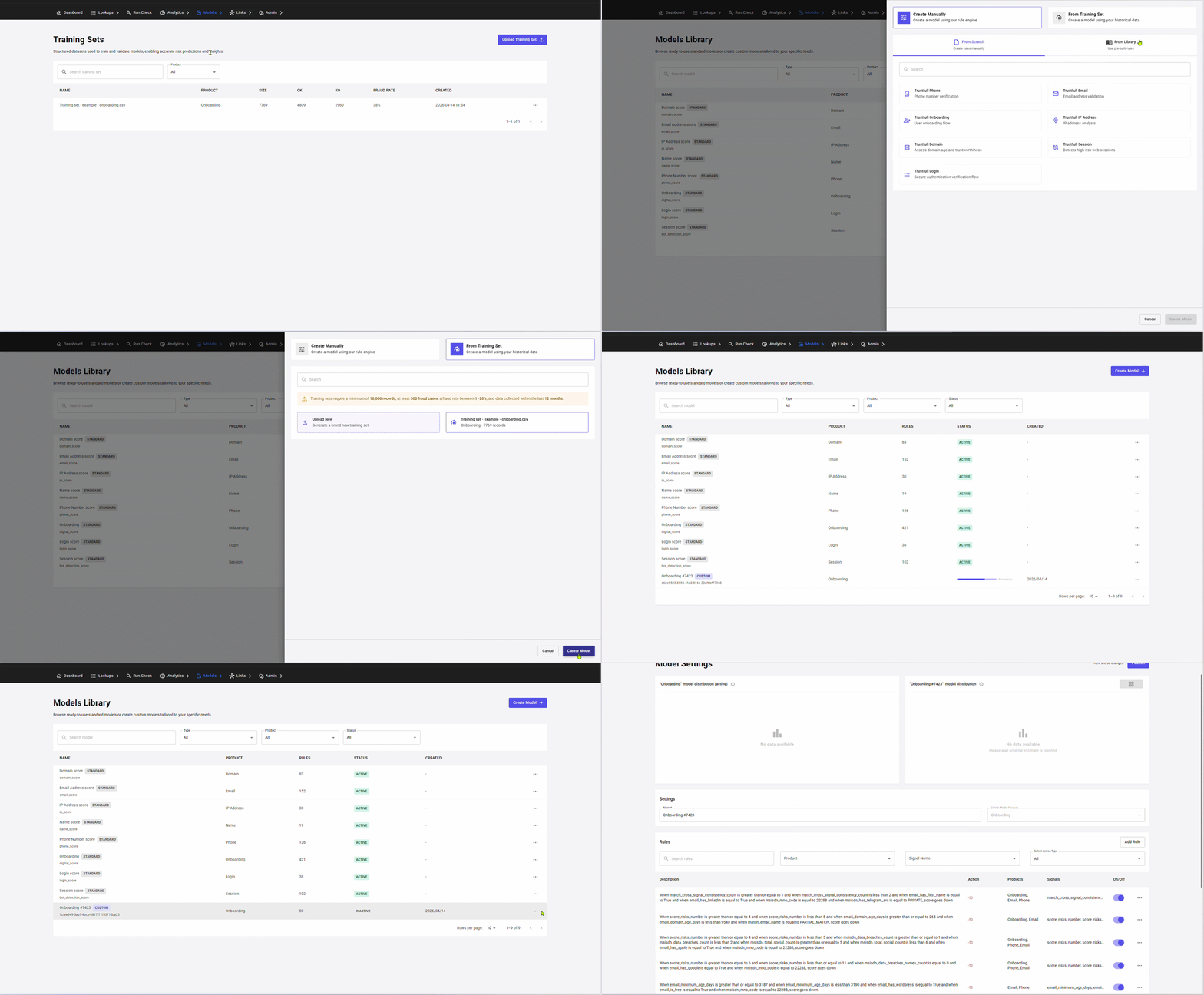
Model Library Update: Create Model From Training Set
The Model Library page has been refreshed with a clearer layout, better navigation across standard and custom models, and new ways to create and manage scoring models.
Standard and custom models are now split into separate sections. You can create a custom model in three ways:
- From Training Set: auto-generated rules from your data
- From Library: copy an existing model and build on top
- From Scratch: empty model, define every rule yourself
New: Create Custom Model from Training Set
You can now generate a custom model directly from a training set, Trustfull analyses your training data and auto-generates rules based on the fraud patterns in your traffic.
🔍 Key Features
- 🤖 Auto-generated rules: upload a training set (at least 10,000 records), select it in the Create Model flow, and Trustfull builds a complete model tailored to your specific fraud patterns.
- 📊 More relevant for your usecase: the resulting model is trained on your fraud usecases, making it more relevant for your than the standard model.
- ⚡ Compare performance: once your model is created you can generate an insight to compare fraud detection, reduction and false positive rates.
Email API: OpenAI Account Detection
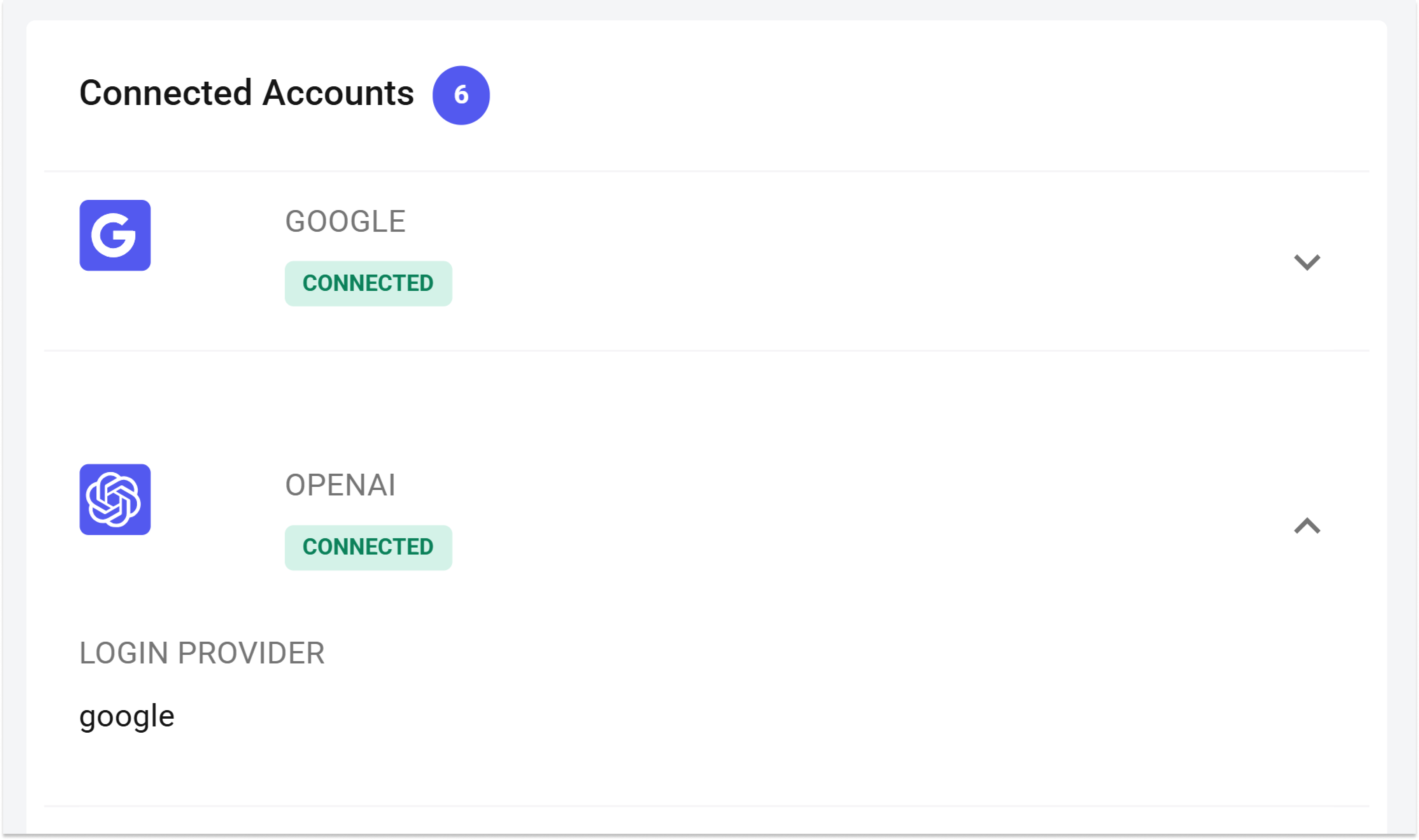
Two new signals detect whether an email address is linked to an OpenAI account and which login provider is used to authenticate it.
🔍 Key Features
email_has_openai— returnstrueif the email is associated with an OpenAI accountemail_openai_login_provider— returns the authentication provider linked to that OpenAI account (e.g.google,apple,microsoft)- Both signals are available in Email Lookups and Analytics
📊 Example Output
{
  "email_has_openai": true,
  "email_openai_login_provider": "google"
}
Explain Score with LLM
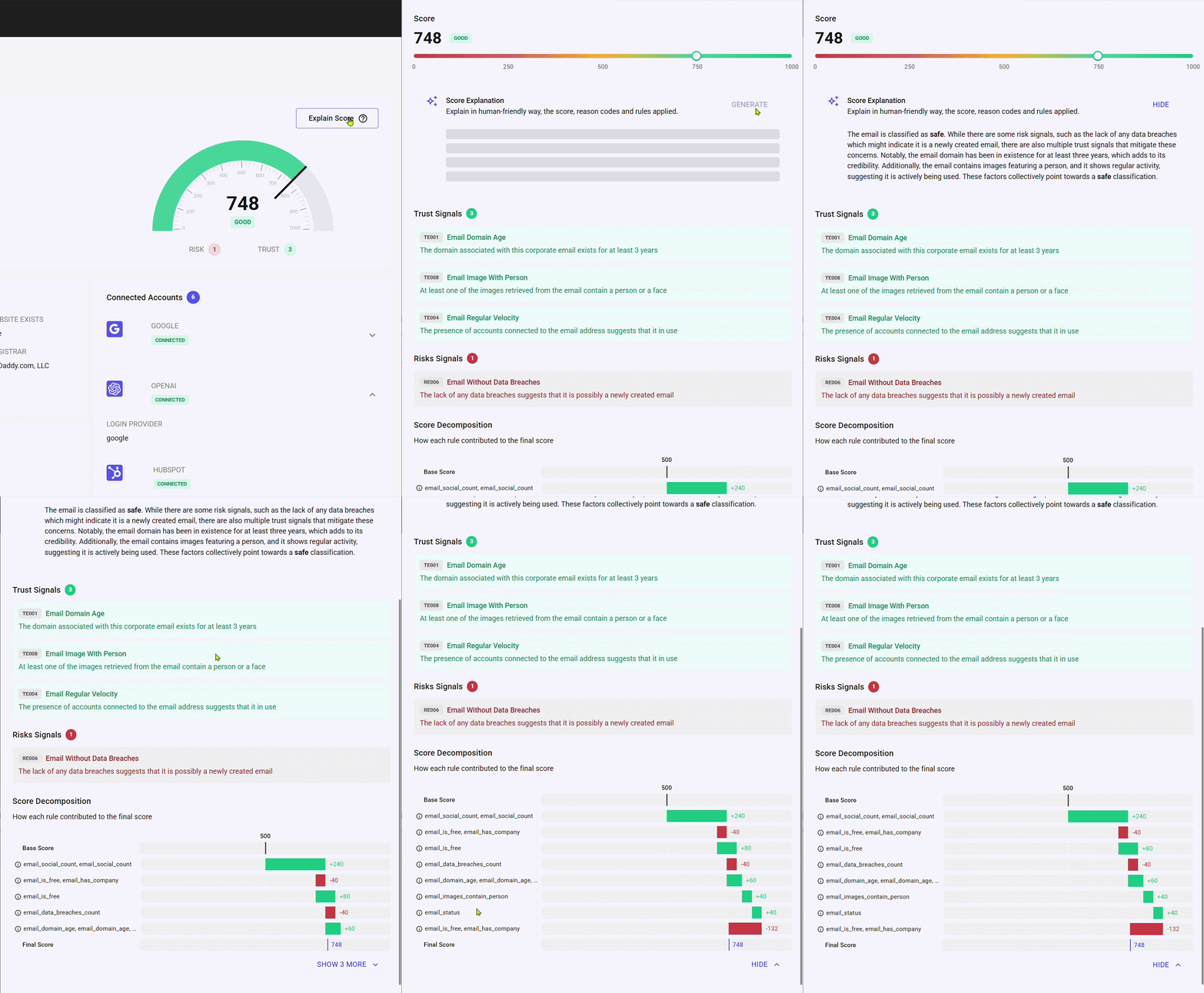
The page now includes an AI-generated description automatically produced when you open Explain Score. The summary is built from the final score, cluster, applied rules, and trust/risk signals, giving you a plain-language interpretation of why a subject was scored the way it was. Alongside this, a refreshed Overview section brings together score stats and key insights in a single view, making it easier to read and share results at a glance
The Explain Score page has been refreshed with a new Overview section and an AI-generated summary of the score.
Model Insights
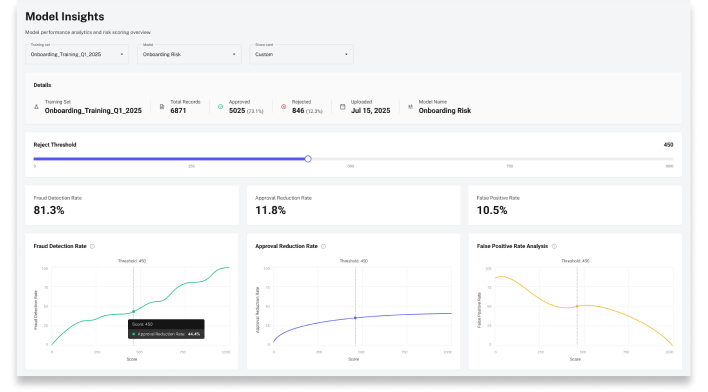
The Model Insights page has been updated with faster load times, freshly recalculated scoring insights, and more accurate chart displays across all performance views. Learn how to run insights in the dedicated guide.
🔍 What's new
- Three dedicated charts to Fraud Detection / Reduction / False Positive rates.
- Custom Threshold: manually change the reject threshold to see the effect that would have on the lookups in that training set (eg if I reject users with score < 600, the fraud detection rate= 80%, false positive =20%)
- UI refresh overall
NB: To generate insights you need to upload a training set on Model Training Set q and select a model. Upload time depends on file size.
📚 Resources
- Support Center — Assistance and answers from the Trustfull support team.
- Model Library Guide — Full guide on creating and managing scoring models.
- Training Sets Guide — How to upload and manage training sets.
- Model Insights Guide — How to generate and read model performance insights.
- Email API Reference — Full Email API documentation.