
August 2026 Update
🏖️ August 2026: Ask AI answers your questions directly in the dashboard, what if analysis compares the model you are editing against the ones you already run, Domain results are more accurate and now detect ecommerce sites, and bulk upload accepts domains.
Ask AI: Live Support from the Dashboard
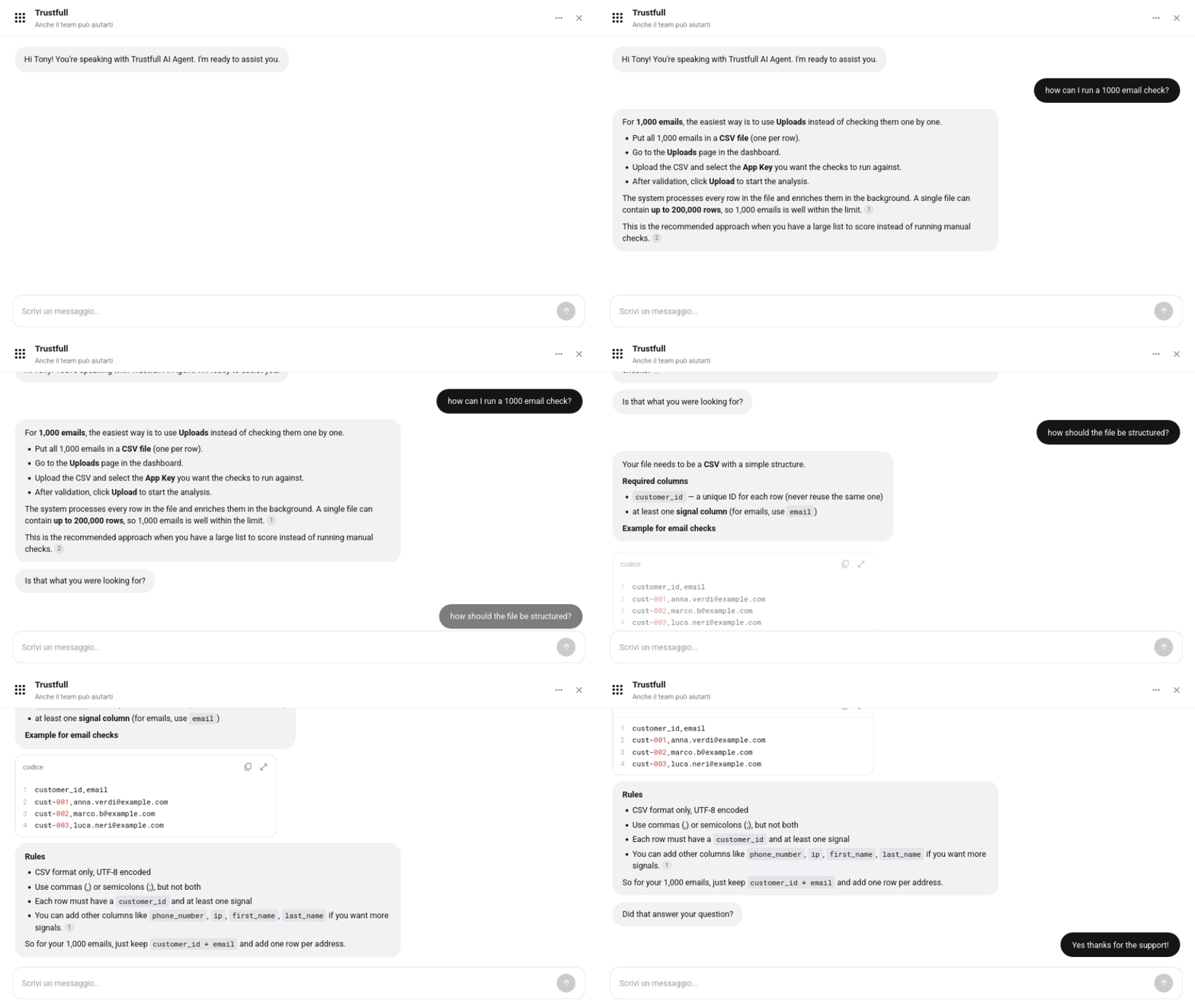
A new assistant is available in every page of the dashboard, ready to answer your questions without leaving what you are doing.
🔍 Key Features
- 🔎 Answers grounded in our documentation: ask what a signal measures, how a score is composed or how a product works, and the assistant replies immediately from our guides, API reference and changelogs.
- 🙋 Talk to a human: ask to talk to a human and support joins the same chat, picking up the conversation from where the assistant left it.
- 🎫 Open a ticket: Open a ticket and get the reply to your profile's email.
Learn more on how to use it on the dedicated guide page.
Domain: Ecommerce Detection and More Accurate Results
Domain now tells you whether a website is an ecommerce, shows the site's favicon, and returns more accurate results across the board.
🔍 Key Features
- 🛒 Ecommerce detection: a new signal tells you whether the website sells online, useful to tell a real merchant apart from a thin or placeholder site.
- 🖼️ Website favicon: the site's icon is returned alongside the other website signals, and it is shown in the domain detail page.
- 🎯 More accurate results: website content classification and social media matching return correct answers more often.
📊 Example Output
{
  "website_content_is_ecommerce": true,
  "website_has_favicon": true,
  "website_favicon": "https://assets.trustfull.com/favicon/example.png"
}website_content_is_ecommerce(boolean):truewhen the website is an ecommerce site.website_has_favicon(boolean):truewhen a favicon was found for the website.website_favicon(string): Link to the favicon image.
Domain Bulk Upload
You can analyse a list of domains in one go, the same way you already do with onboarding requests.
🔍 Key Features
- 📄 Start from the template: download the template file from the upload page, fill in the
domaincolumn and remove the others. - ⬆️ Upload and forget: drop the file back in and the whole list is processed for you.
- 📁 Results with your other files: the completed upload appears under My Files, ready to download.
Learn more on our dedicated Guide page.
What If Analysis: Compare Model Performance
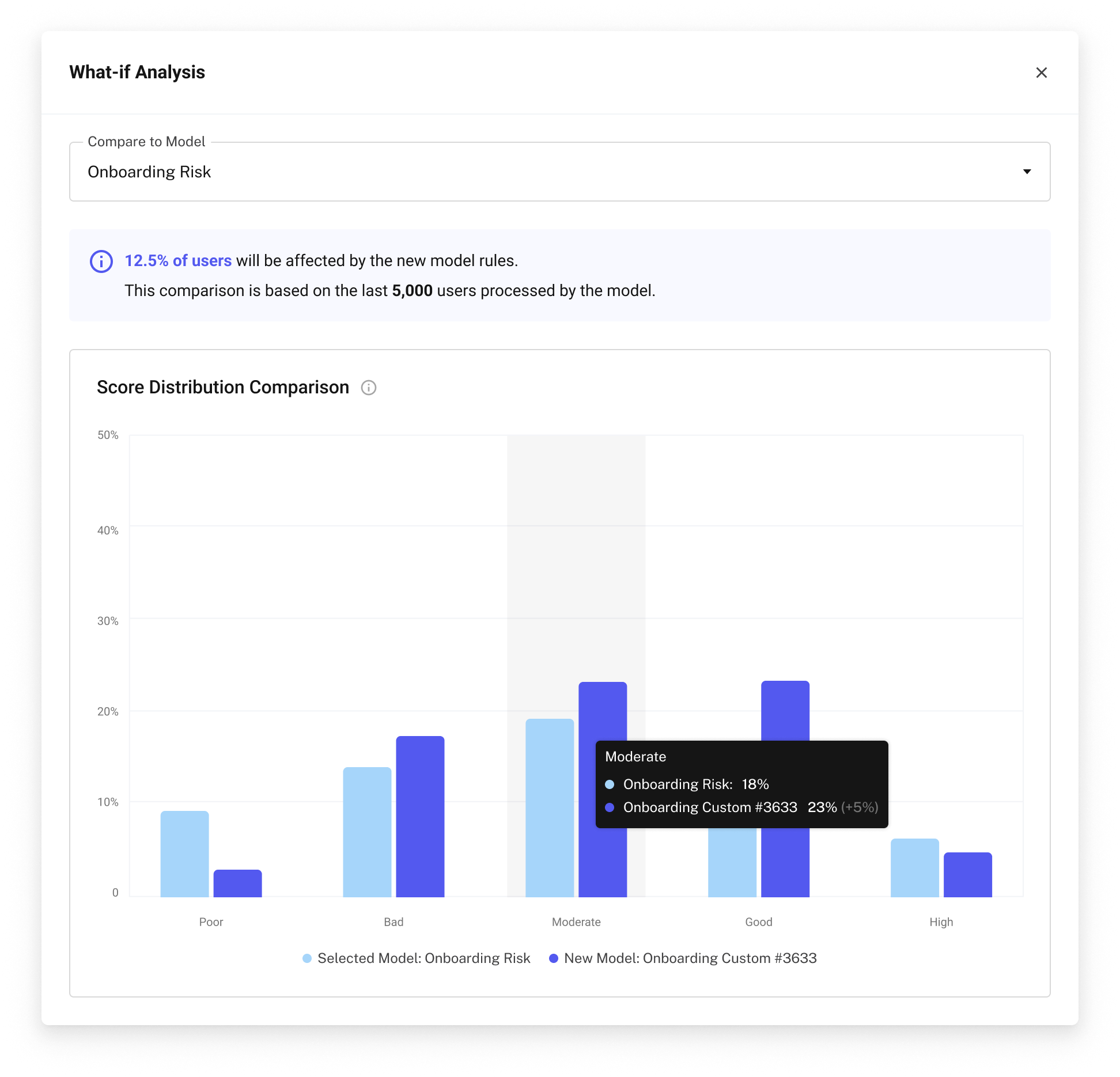
Before you publish a model, you can see how it would behave compared to the models you already have, measured on your own traffic. The chart shows how each model distributes your requests across the five score clusters, using your last 5,000 records.
📚 Resources
- Trustfull Domain - API Reference
- Support Center - Assistance and answers from the Trustfull support team.
- Upload Guide